
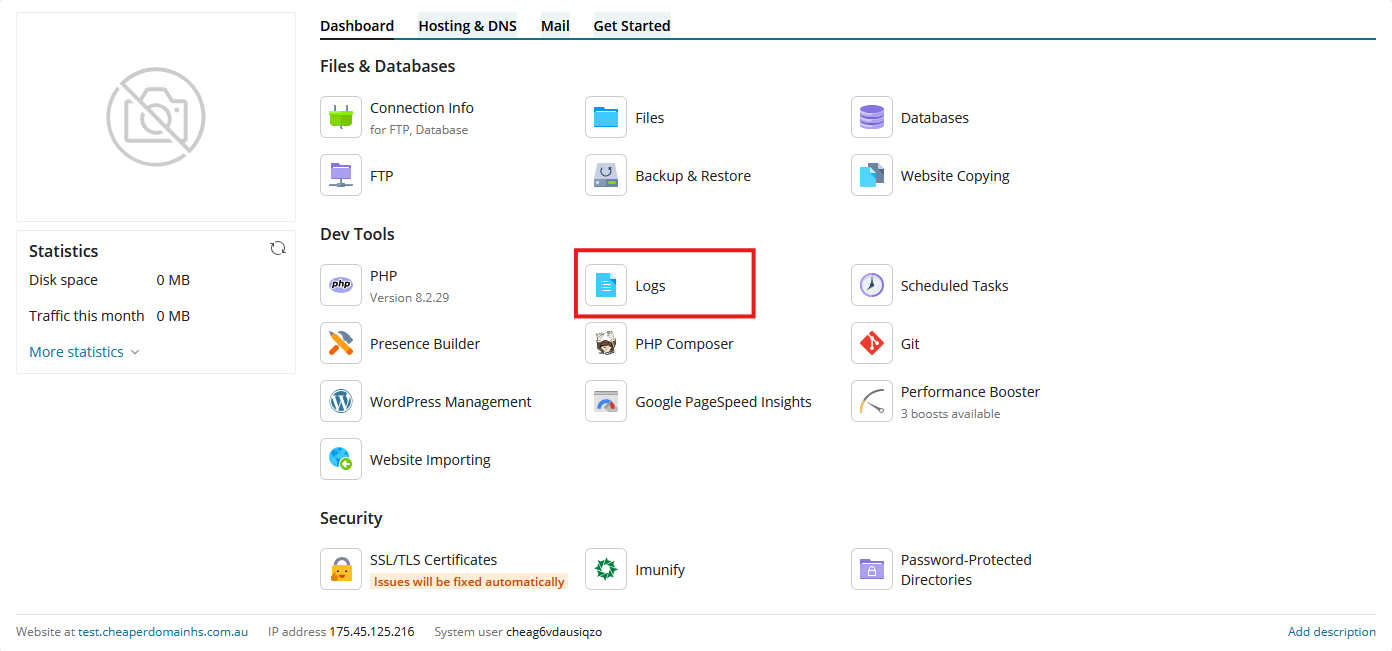
This article will walk you through the process of downloading the log file for your website from the Plesk hosting panel
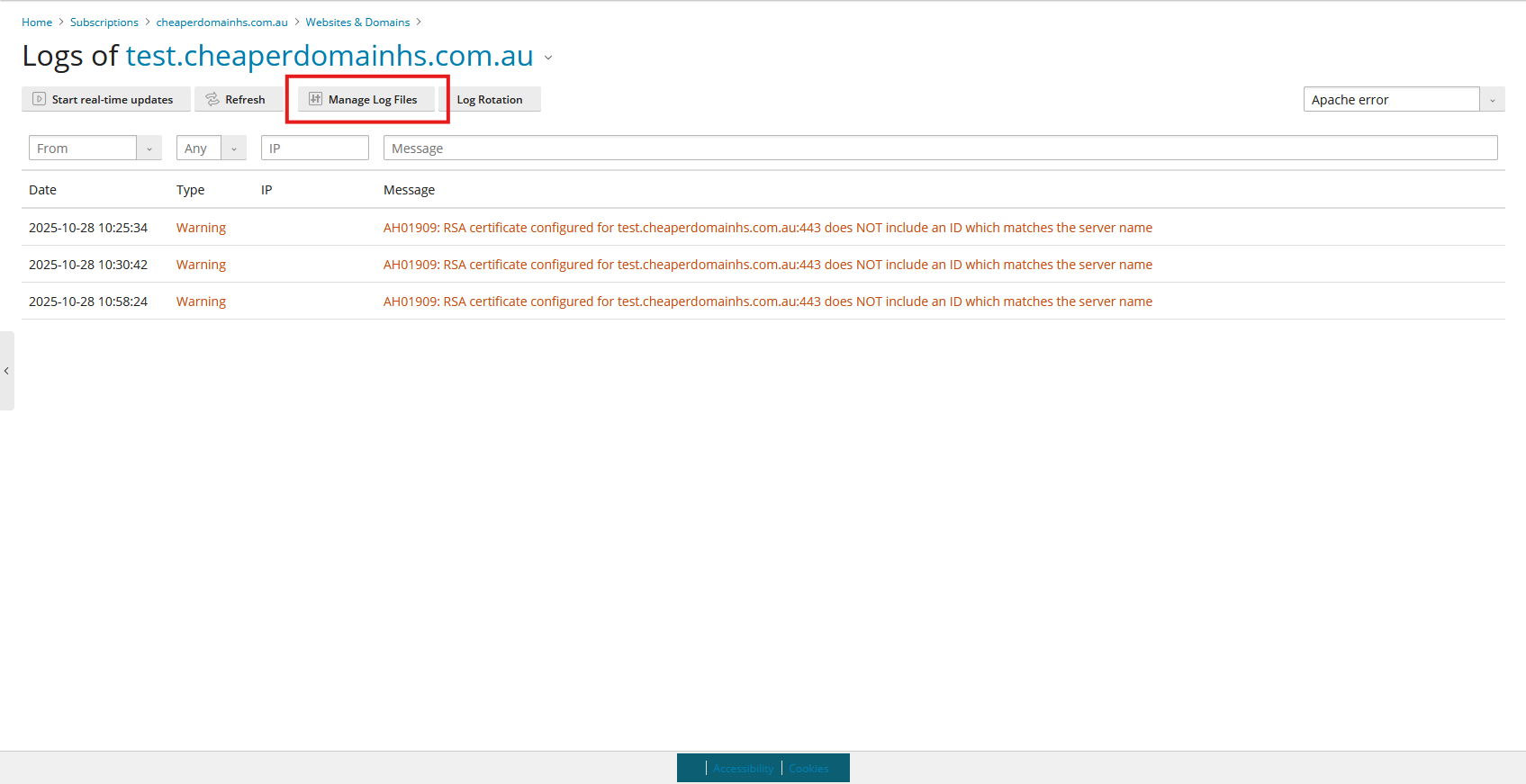
6. Click on Manage Log Files
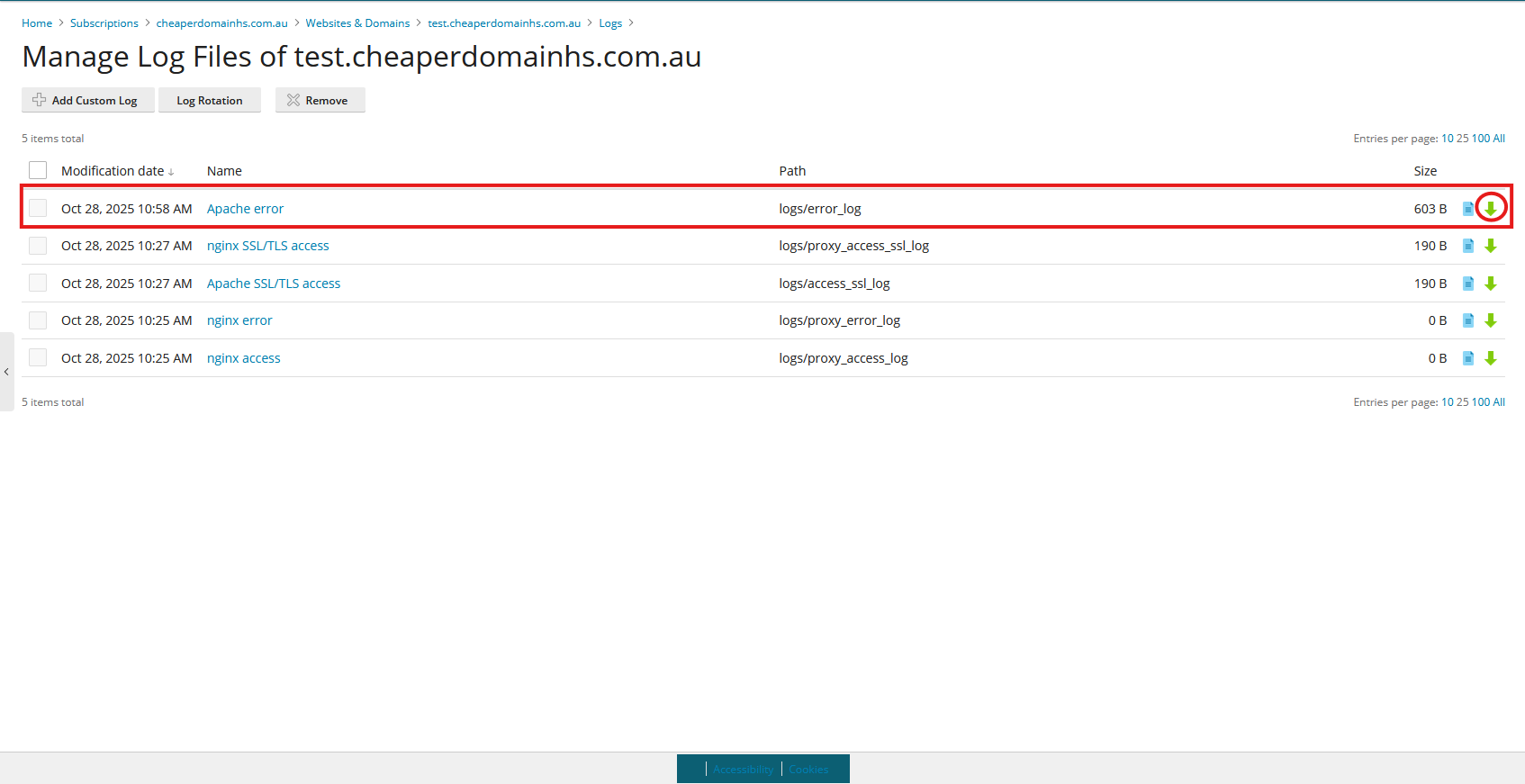
7. Look for the entry that says Apache error. To the very right there will be a green arrow to download the log file
Note: If you can't find an answer to your problem click Here to open a support ticket (requires log in).